


Enhanced Product Pages Are Here: Every Material, Spec-Ready
From Texture to Specification: Introducing Lightbeans Enhanced Product Pages
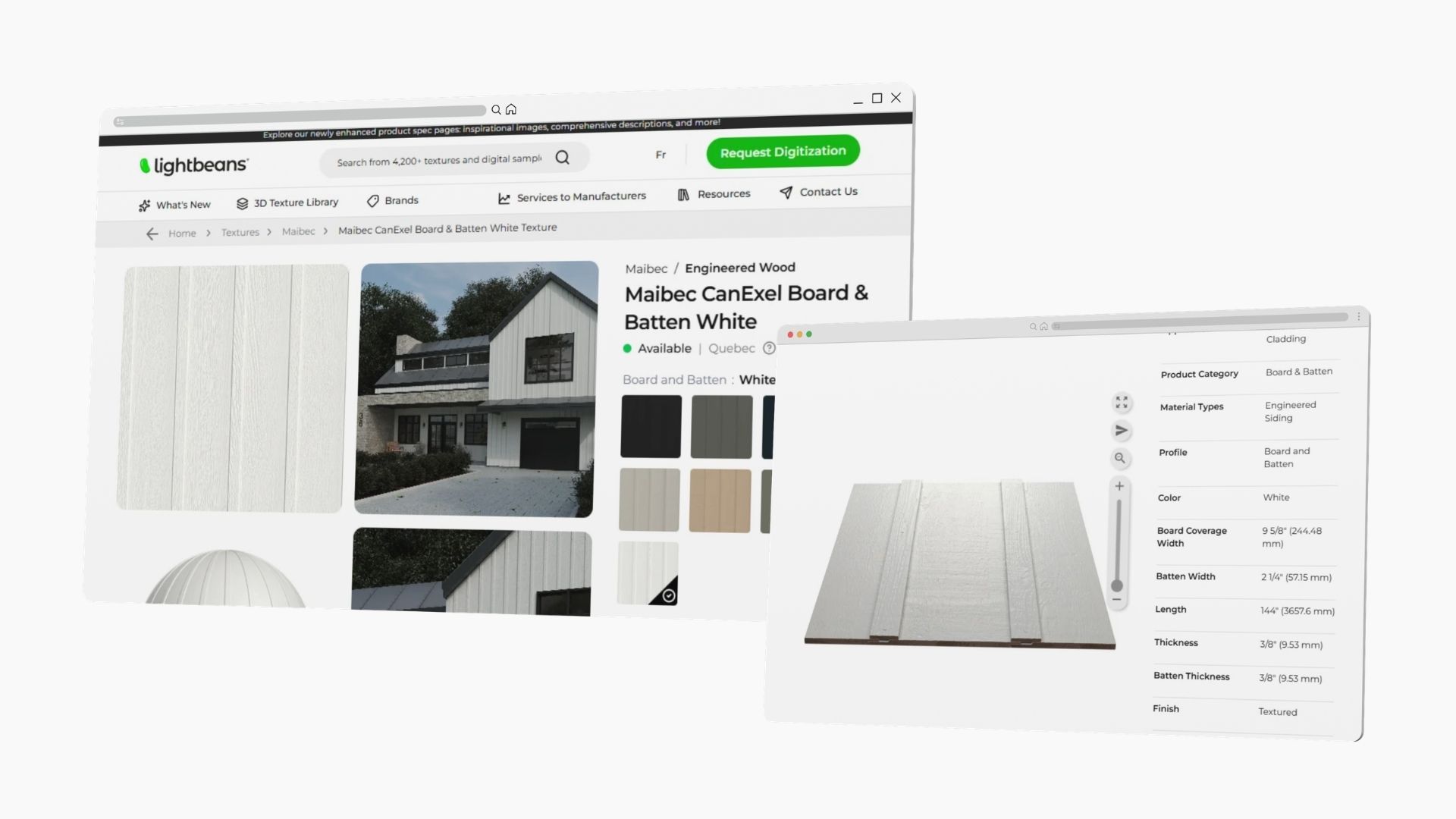
What if choosing a material didn't mean opening ten tabs? With our new Enhanced Product Pages, every material on Lightbeans becomes a real specification resource, built for the exact moment design decisions get made.
For years, architects and designers have come to Lightbeans for one thing: high-quality 3D textures of real products to drop into photorealistic renders. That hasn't changed. What's changed is everything that happens after the render, when a material moves from "looks great in the scene" to "we're actually building with this." Enhanced Product Pages close that gap.
What are Enhanced Product Pages?
Enhanced Product Pages are redesigned Lightbeans material pages that combine inspiration and specification in one place. Instead of showing you a texture and a download button, each enhanced page gives you the full picture of a real product: how it looks in context, how it's built, where you can get it, and who to talk to.
In short: the same materials you already render with, now carrying all the information you need to specify them in a real project, no extra tabs, no scattered PDFs, no guessing.
Why we built them
Material decisions happen early. They happen during design, inside your modeling software, at the moment you're choosing what a project will actually be made of. That's a high-stakes moment, and until now it meant juggling a render library in one window, a manufacturer's website in another, a spec sheet in a third, and an email thread to chase down pricing.
We wanted to collapse all of that into a single, smooth material selection experience, right where the decisions are being made. Less friction, fewer dead ends, better choices.
What's new on every Enhanced Product Page
Each enhanced page brings together the details that turn a nice-looking texture into a project-ready material:
- Inspiration images in context. See the material applied inside a 3D render and on a flat surface, so you know how it actually reads on a façade, a floor, or a wall, not just as a sphere.
- Deeper specification information. The technical details you need to specify with confidence, organized and easy to scan.
- Richer product descriptions. Fuller, clearer descriptions of what the material is, where it belongs, and how it behaves.
- Software compatibility. Know which tools the material works with before you download.
- Availability in your region. Find out whether a product is available where your project is, up front.
- A direct line to the manufacturer. Contact a company representative right from the page for more information, pricing, or samples.
See it in action: Watsontown Brick "Delaware"
Take the Delaware brick from Watsontown Brick's Pennsylvania Molded Series. On its enhanced page, you don't just get the texture — you get the full story.
You can see the brick applied to a residence in a 3D render, then scroll into the characteristics that matter for specification: it's a molded brick for exterior wall cladding, made for mortar installation in a running pattern, in red and brown tones with a smooth finish, suitable for both commercial and residential masonry, and manufactured in Watsontown, Pennsylvania. Technical sheets and warranty documents sit right there, alongside a direct link to the manufacturer.
That's the difference: you walk away from the page ready to specify, not ready to start researching.
Built into the way you already work
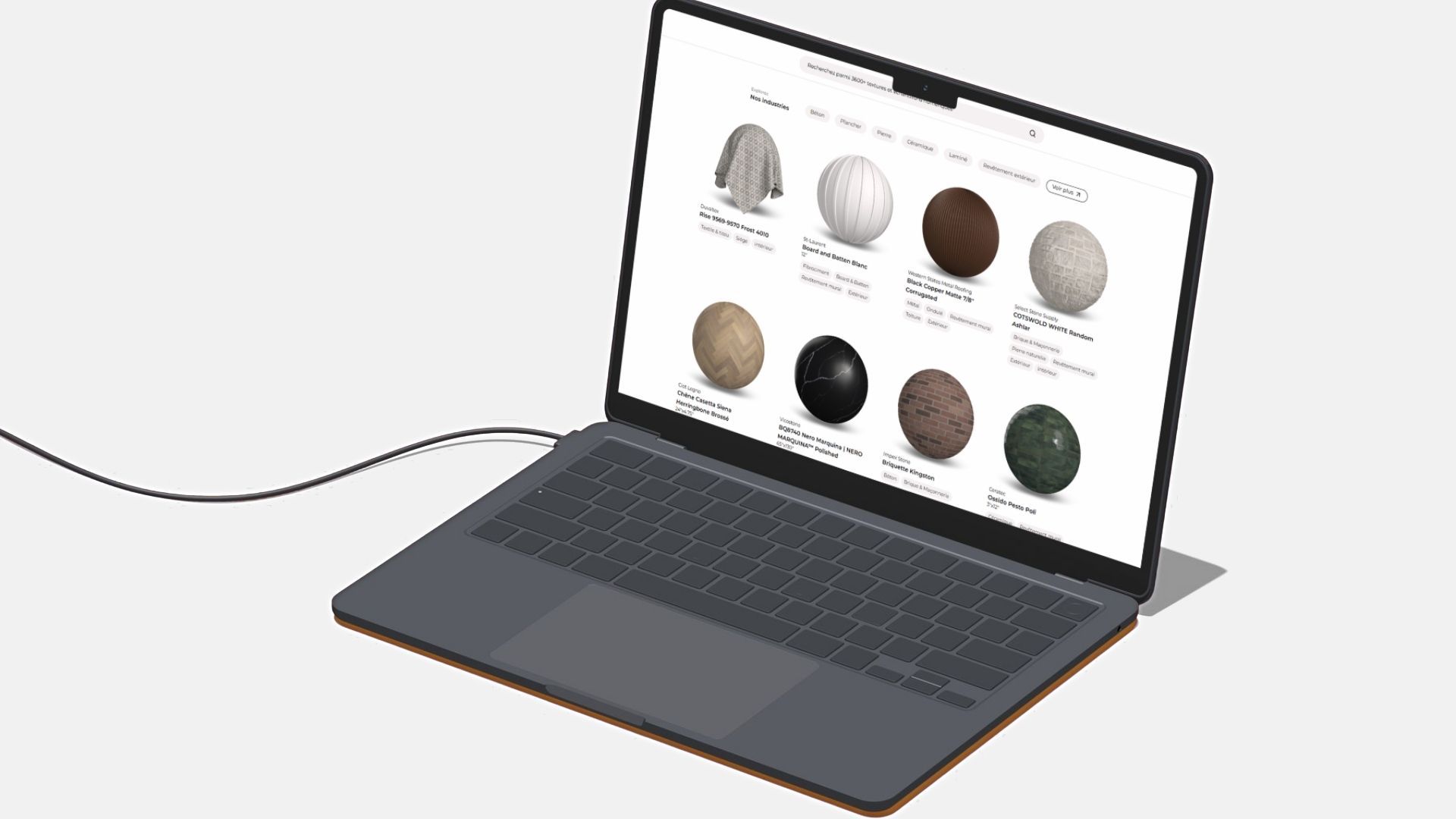
Enhanced Product Pages aren't a separate destination, they live inside the Lightbeans platform you already use. You can filter by Enhanced Pages right now to browse only the materials with the full spec experience, so finding project-ready products is faster than ever.
And we're not stopping at the website. Enhanced Product Pages are coming to our SketchUp plugin soon, so the same depth of information will be available without ever leaving your model.
This is just the beginning
We're rolling Enhanced Product Pages out across the library, with more going live continuously. The goal is simple: make every material on Lightbeans a place where inspiration and specification meet, for architects, designers, and the manufacturers who want their products chosen with confidence.
Frequently asked questions
What are Lightbeans Enhanced Product Pages? They are redesigned material pages that combine 3D textures with full specification information — inspiration renders, detailed specs, richer descriptions, software compatibility, regional availability, and direct contact with the manufacturer, so architects and designers can specify a material in a real project, not just render it.
Who are Enhanced Product Pages for? Architects, interior designers, and specifiers who select building materials during the design phase and need both visual and technical information in one place. Manufacturers also benefit, since their products are presented with the depth needed to be confidently specified.
Do Enhanced Product Pages replace the 3D textures? No. The high-quality 3D textures you already download are still there. Enhanced pages add everything around them, context images, specs, availability, and a direct line to the manufacturer.
How do I find Enhanced Product Pages on Lightbeans? Use the Enhanced Pages filter on the Lightbeans platform to browse only the materials that include the full specification experience.
Will Enhanced Product Pages work inside SketchUp? Yes, they're coming to the Lightbeans SketchUp plugin soon, bringing the same spec-ready experience directly into your modeling environment.
Can I get pricing and samples from an Enhanced Product Page? Yes. Each enhanced page lets you contact a representative from the manufacturer directly to request more information, pricing, or physical samples.
Explore the new experience for yourself. Browse all Enhanced Product Pages on Lightbeans →
Lightbeans is North America's largest digital texture library for architects and designers, connecting manufacturers with the people who specify their products.