


eCatalog: Your Textures on Your Website Faster and More Cost-Effectively
A new customer portal feature that makes it easier to share material files on your site.
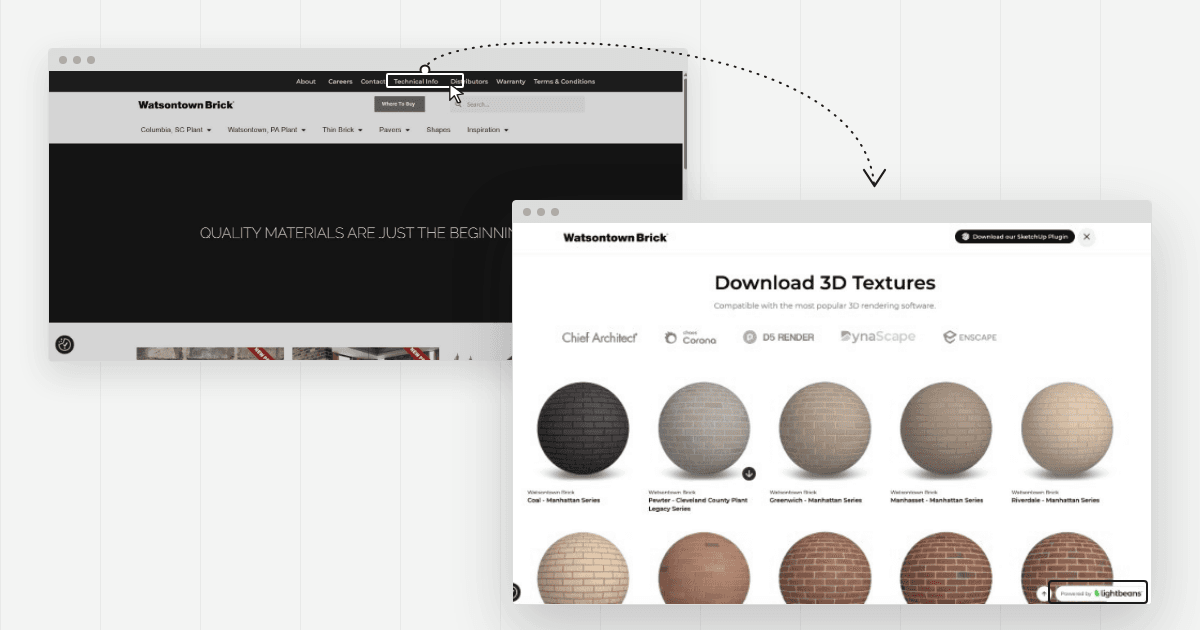
Lightbeans launches eCatalog, a new feature in the client portal. eCatalog creates a web page that carries your logo and showcases your digital materials. You add a single link to your website, and designers access your entire digital offering.
Skip the Cost of Building a Texture Page
Before this feature, a manufacturer who wanted to offer digital files on its website faced a few hurdles. The marketing team opened a ticket with the web agency. The agency scoped the project, scheduled the work around other priorities, and delivered the page several weeks later. The manufacturer paid for both the initial integration and each subsequent revision.
The problem came back with every new collection. Each product addition restarted the same cycle: a new ticket, a new wait, a new invoice.
What eCatalog does
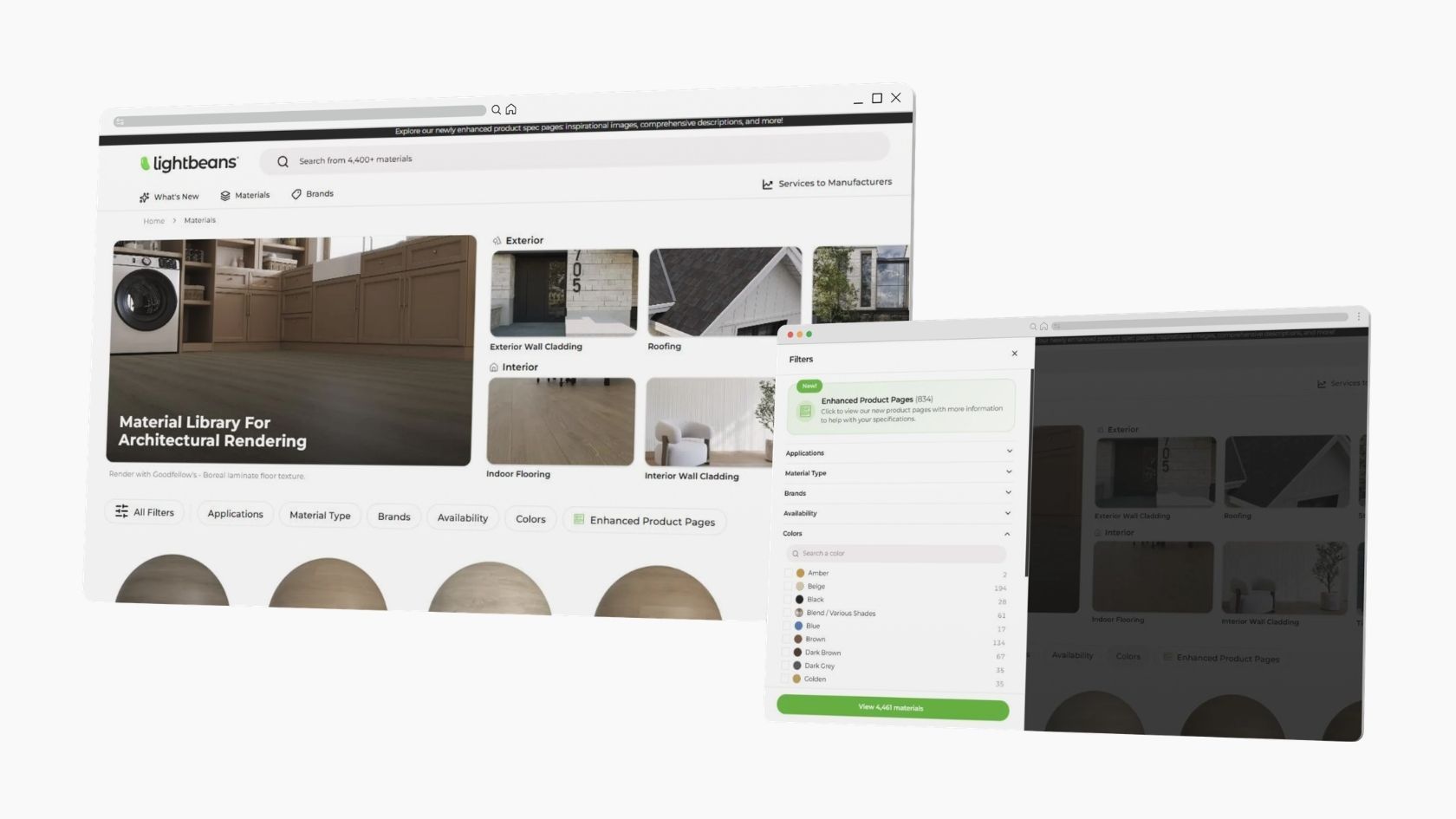
It connects the Lightbeans material library to your website. The feature draws on the materials Lightbeans already digitizes for your brand. Architects and designers land on a page that carries your logo and your domain name. They browse and download your textures without leaving your brand experience.
How to turn on eCatalog in the client portal
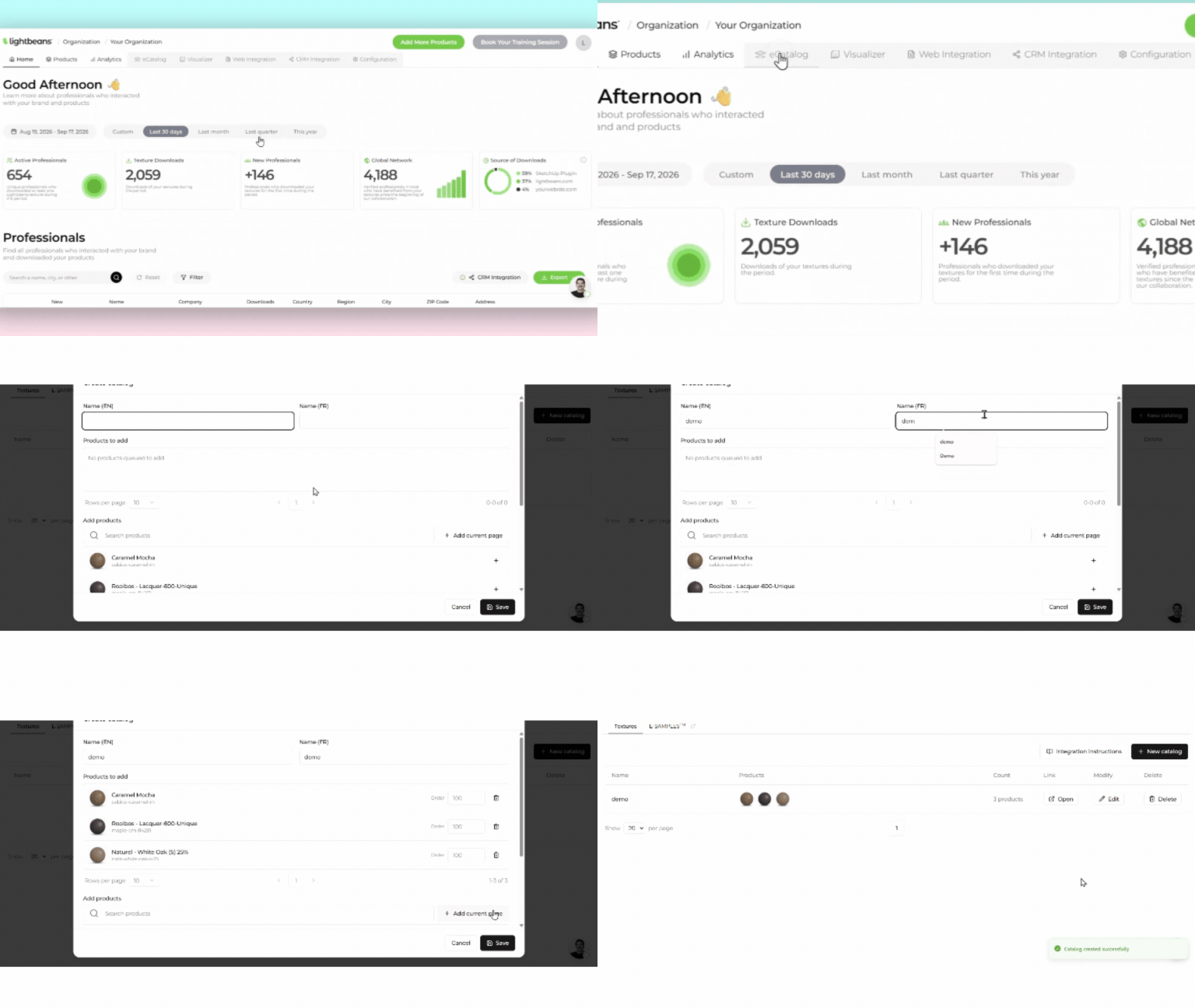
You turn on the feature in the client portal. Your digitized materials populate the page. You don’t need to upload new files.
Setup takes a few minutes and requires no technical skills.
- Open the client portal and find the eCatalog tab.
- Choose the products you want the page to feature.
- Copy the link and send it to your web team so they paste it into the menu, the footer or a product page.
A live example: Watsontown Brick
Watsontown Brick, an American brick manufacturer, already uses eCatalog. The company placed its link right in its website's main navigation, under the label "Seamless 3D Textures." The link takes visitors straight to downloadable materials.
Here's an architect's journey, in three clicks:
- First click: they open the Watsontown Brick menu and choose "Seamless 3D Textures."
- Second click: they browse the eCatalog page and select the brick that suits their project.
- Third click: they download the texture, then import it into their modeling software.
Not working with Lightbeans yet?
Lightbeans digitizes manufacturers' materials and turns them into digital design tools true to the real product. Architects, designers and specifiers download these files for free from the material library, then use them in their renderings and specifications.
Talk to our team to find out how Lightbeans can digitize your catalog.
Frequently asked questions
What is eCatalog for?
eCatalog is a feature of the Lightbeans client portal. It creates a web page in the manufacturer's image that showcases its digital material files. The manufacturer adds the page link to its website, and architects download its materials without leaving its brand experience.
How much development work does eCatalog require?
None. Setup comes down to pasting a link into the site's menu, footer or a product page. Your web team writes no code, installs no script and manages no file hosting. Anyone who knows how to edit a menu can complete the task in minutes.
Does the page carry my brand or Lightbeans'?
The page carries your logo. Professionals who click your link discover your collections in an environment consistent with your website, while Lightbeans provides the technology behind the scenes.